How to block someone again on Facebook before 48 hours? If you want to block someone again after you have just unblocked them, this is completely possible. Although Facebook will notify you that you must wait 48 hours before blocking them again, there is still a way to get around this rule. Follow the guide below from https://howfinitytech.com/ and give it a try!

Why do I have to wait 48 hours to block someone on messenger
Can you block and unblock someone on Facebook Messenger? In fact, Facebook allows you to block and unblock anyone you want. However, if you have just blocked and then unblocked someone, you will need to wait another 48 hours before you can block them again.
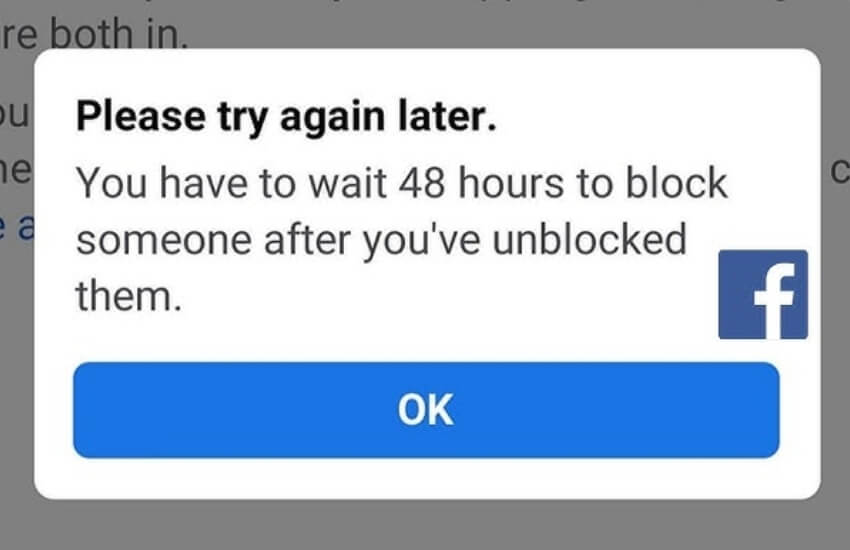
Every social media platform has its own rules, and Facebook Messenger is no exception. Why do you have to wait 48 hours to block someone on Messenger? This is due to Facebook’s community policies. The purpose of requiring a 48-hour wait before you can block someone again after unblocking them is to prevent people from feeling annoyed or inconvenienced while using Facebook Messenger. It also gives the person doing the blocking time to reconsider their decision, determine whether they really want to continue blocking the other person, and better understand the reason behind the issue instead of blocking them again immediately.

On social media, Facebook Messenger always prioritizes connection, so it aims to give people time to reconnect with one another. The 48-hour waiting period after unblocking someone gives you time to rethink your action, while also allowing the other person an opportunity to talk with you and clear up any misunderstandings or unresolved issues.
» Do You know: Why are some Facebook story viewers names in bold, blue dot
How to block someone again on Facebook before 48 hours
Although Facebook requires you to wait 48 hours before you can block someone again, in reality, it is still possible to do so without waiting. To learn how to block someone again on Facebook before 48 hours, simply follow the 3 steps below.
Step 1: Restrict Messages on Messenger
Did you know that the Ignore Messages feature on Messenger works almost like blocking someone? Messages from that person will no longer notify you, will not appear in the app, and will completely disappear until you choose to access them again.
Here’s how to Restrict messages on Messenger:
- First, open the conversation with that person >>> Tap their profile picture >>> Select Restrict
- Select Restrict .

Step 2: Block Comments on Facebook
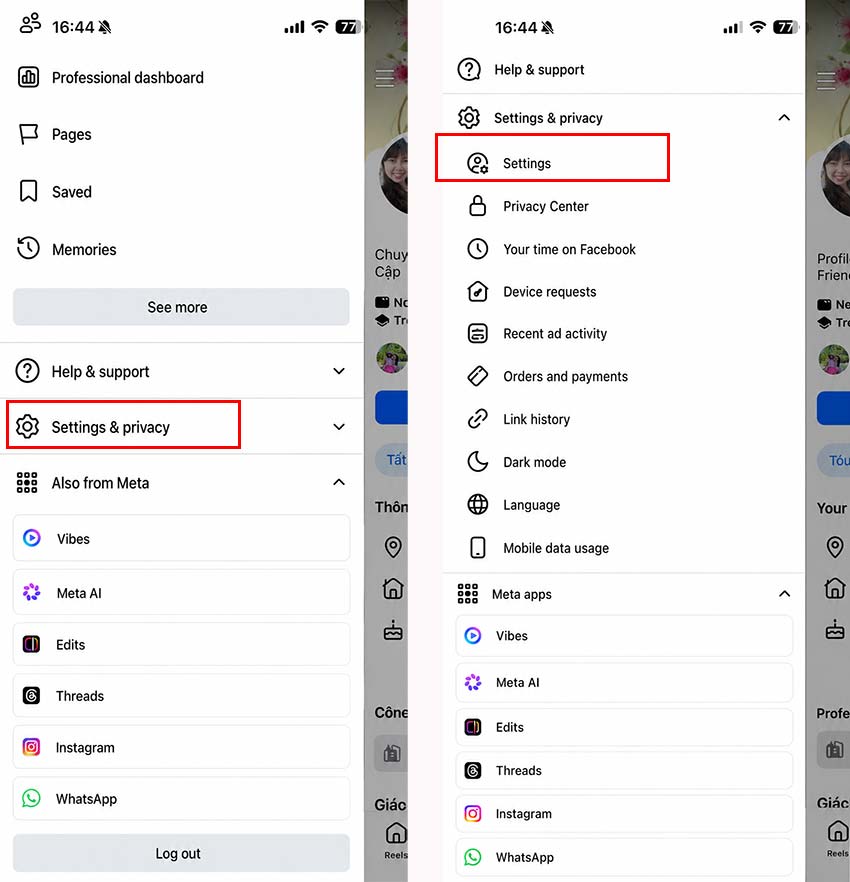
- Go to the three-line menu ⇒ Select Settings & Privacy ⇒ Select Settings.
- Choose Public Posts ⇒ Select Friends for all available options.
By doing this, that person will no longer be able to comment on your posts.

Step 3: Reduce Interaction on Facebook
When you reduce interaction on Facebook, that person will no longer see your latest posts. Likewise, you will not see their posts while browsing Facebook either. It works very similarly to blocking someone on Facebook, doesn’t it? Here’s how to reduce interaction on Facebook:
- Go to the Facebook profile of the person you want to block again before the 48-hour period ends ⇒ Tap the three-dot icon ⇒ Select Friends.
- Choose Take a Break ⇒ Select Limit where you see that Facebook profile ⇒ Tap Save.

Once you have successfully completed these 3 steps, you will be able to temporarily block that person from your Facebook experience and comfortably wait for the 48-hour period to pass before blocking them again if you wish.
We hope the guide above from https://howfinitytech.com/ has been helpful to you. Go ahead and try How to Block Someone Again on Facebook Before 48 Hours. Wishing you success!



OK